From document to checked data

You see everything, but only have to deal with the exceptions.

Docuron extracts and checks the data and flags what does not match. You look at what needs a decision.

Every document becomes data.

What do you process?

Pick a sample

Bring your own document to the 20-minute call — we run it on our platform, processed in the EU.

Every field shows where it came from.

Pick a field on the data sheet and its source lights up on the document. It works the other way too — click the document and the field appears. Checking takes seconds, not minutes.

Try it on the data sheet

Not just the header. Every line item.

Description, quantity, unit price, VAT rate and amount — line by line, credits and negative lines included. Line items are the hardest part of an invoice, and they decide whether the data is actually usable.

It doesn’t just read. It checks, too.

Totals per line and overall, tax IDs, bank accounts against supplier master data, tax-authority checks where available (in Hungary: NAV) — and a warning when the same invoice arrives twice. Where something doesn't add up, we flag it.

Add-on

GL coding suggestions, with the reasoning.

Based on your own chart of accounts, it also suggests the GL coding, with the reasoning. The accountant decides; we do the preparation.

In one session, from your own samples

Bring your own document to the 20-minute call — we run it on our platform, processed in the EU.

Let's talk — 20 minutes

Before you look at it, Docuron has already checked it from several angles.

It understands, not just reads.

It doesn’t work from templates, and it doesn’t just copy the characters. It knows which figure is the total, who issued the invoice and who the buyer is, even when the layout is new to it. Invoices from abroad too, in any language.

Why it matters: nothing needs setting up for a new supplier, and foreign invoices need no separate handling.
It does the maths on the whole invoice.

It checks that net, VAT and gross add up. With line-item extraction it goes further: it recalculates line by line and per VAT rate, and flags it when the lines don’t add up to the total.

Why it matters: a mistyped or wrongly issued invoice is caught before it is booked.

It checks against your own master data, so you don’t pay the wrong account.

It looks the supplier up in your master data and checks the bank account on the invoice against it. It flags a supplier you don’t have on file, a bank account that isn’t theirs, or an invoice you have already received. Until the supplier is identified, the invoice doesn’t move on.

Why it matters: an unknown supplier, a changed bank account and an invoice paid twice are costly mistakes, and none of them is obvious at a glance.

Sent as one file? It splits them by itself.

One large PDF arrives with several invoices inside. Docuron finds where each one ends, splits the file into separate invoices and works on them side by side in the background. You can start on the first one while the rest are still in progress.

Several files can go in at once: each is split on its own, and the order is kept. Anything that needs attention is flagged.

E-invoice, PDF, paper: one place, one way of working.

  1. It works from the e-invoice’s own structured data and checks it against the standard’s rules.

    For an e-invoice (XRechnung, ZUGFeRD) the values come from the invoice’s own data, not from an image. An XRechnung is checked against the standard’s European and German rules, and you see which rule is broken.

  2. It makes the invoice readable and marks what needs attention.

    The e-invoice becomes a readable invoice image. If something is unusual – a different payee, an amount due that differs from the gross total, a credit note – an “Attention” bar says so on the invoice image itself.

  3. The result travels with the invoice.

    A faulty e-invoice is flagged; the decision is yours. When you pass it on, the check result can go with it.

PDF and paper invoices are handled in the same workspace. In Hungary, it also checks invoices against the tax authority’s data.

An invoice image drawn from an e-invoice, with an “Attention” bar and one marked value: the payee differs.

Two teams, two kinds of day. One system.

See everything, fast.

Whether you work on your own or run a firm: you handle several clients in one place, even in a single session. If an invoice names a new business partner, you add it to the master data right there, with no separate upkeep. The finished data goes on as a CSV that suits your accounting software.

For accountants and accounting firms

Only the exceptions.

Built for volume: documents arriving in batches, several users at once, with permissions and a log. A report shows the pages processed per company and per document type. Docuron flags what needs attention, so the team’s time goes where a decision is needed.

For companies and shared service centres

Not an invoice? We set it up with you in one session.

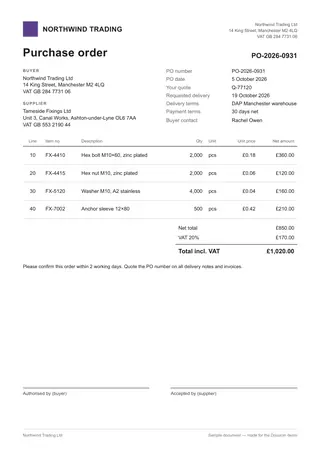
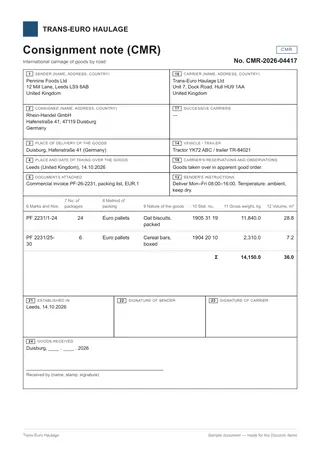
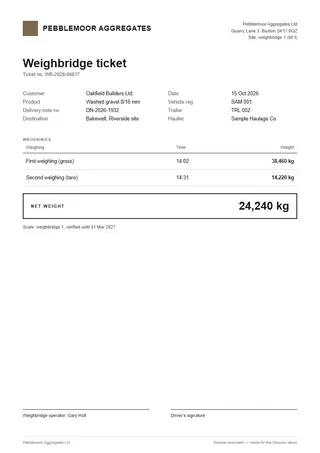
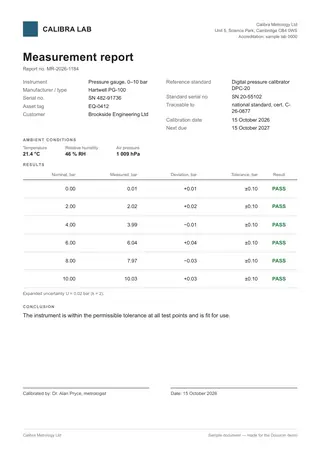
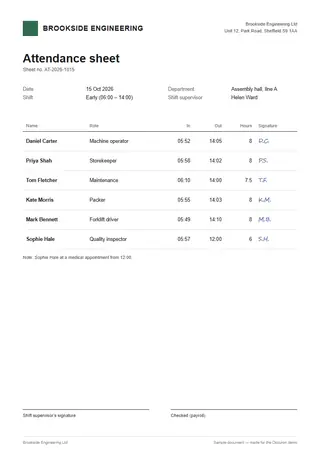
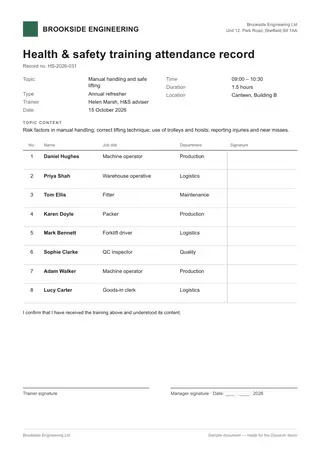
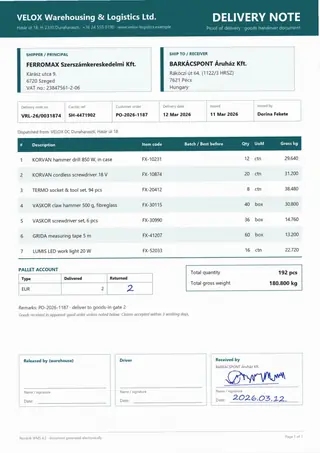
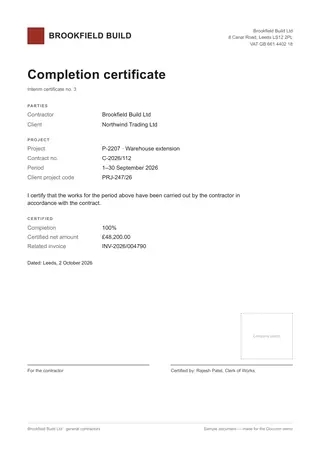
A purchase order, a delivery note, a CMR consignment note, a weighbridge ticket, a record, an attendance sheet, and whatever else regularly arrives at your company. You send a few samples, we go through them with you in one conversation and set it up: which fields you need, which are required, and where the data should go. It can read tables from the document as well.

Why it matters: you don’t have to learn a configuration tool; you work with a specialist and get what you need.

The kind of documents we work with.

  • Delivery note
  • Completion certificate
  • Purchase order
  • CMR consignment note
  • Weighbridge ticket
  • Measurement report
  • Attendance sheet
  • Training and safety record

Your own document is what we look at in the setup session.

It arrives the way it’s sent. It goes where your team works with it.

In

  • Upload in the browserone file or a hundred at once; PDF, image, e-invoice
  • Invoice inboxthe email text and its attachments arrive together
  • Scanned and photographed documentseven skewed or creased

Out

  • The original document, untouched.What comes in goes out: we do not alter the original, we put the extracted data beside it (XML or JSON).
  • Or a compressed, searchable PDF, if your archive needs it.Configurable per client company.
  • The official data goes along too, if you wish:the original e-invoice (XRechnung, ZUGFeRD). Not just the data we extracted.
  • Excel summaryone row per invoice; for a custom document type, the table’s rows on their own sheet
  • Delivered to a folder or to your company’s SFTP servera separate destination for each client company

Can be integrated with accounting software, ERP systems and document repositories.

Your data stays yours.

Docuron prepares. A person always makes the decision.

Let's talk about
your documents.

Twenty minutes: what you process, where the data needs to go, and whether Docuron fits.

  1. You bring your samples.
  2. We measure it on your documents.
  3. We roll it out step by step, against success criteria agreed up front.
We use your details only to reply.
Or write to [email protected]